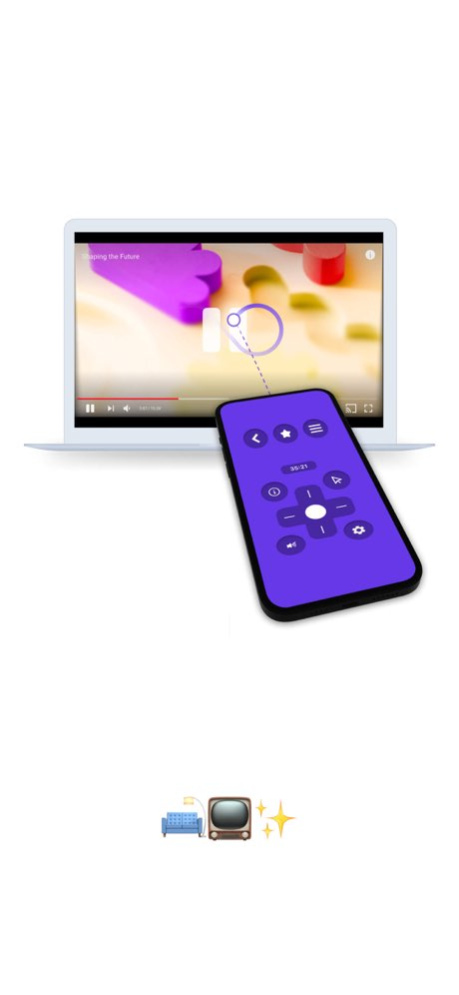
About Netclicker
Tired of getting up just to pause or skip? Netclicker turns your phone into a smart remote for your computer. Control playback, move the cursor with gestures, and let Netclicker automatically skip intros, recaps, and next...
Tired of getting up just to pause or skip? Netclicker turns your phone into a smart remote for your computer. Control playback, move the cursor with gestures, and let Netclicker automatically skip intros, recaps, and next episodes - hands-free. Watch solo or with friends. Whether it’s Netflix, YouTube, Disney+, or more - stream in total comfort. No cables. No keyboard. Just you, your screen, and full control. Terms of Use: https://netclicker.tv/subscriptions/terms
Previous Versions
Here you can find the changelog of Netclicker since it was posted on our website on 2023-09-06 17:42:29.
The latest version is 5.7.5 and it was updated on 2026-10-07 16:19:53. See below the changes in each version.
Netclicker version 5.7.5
Updated At: 2026-10-07
Changes: Version History * New Platforms - Now supporting Apple TV+, Hulu, HBO Max, Peacock, Paramount+ and iQIYI.
* Performance Improvements - Faster, smoother and more reliable performance.
* Maintenance & Fixes - General improvements and fixes for a better experience. 5.7.5 Sep 27 – Fixed an issue with video sharing — your shared videos now open perfectly in Netclicker.
– New in Movies & TV Series Info: Did You Know? — Discover fun facts and hidden details about your favourite titles.
– Slide to Shut Down Your Computer — A smoother way to end your session (requires the latest TV update).
– Maintenance Fixes — General improvements for a smoother experience. 5.4.5 12/16/2025 – Fixed an issue with video sharing — your shared videos now open perfectly in Netclicker.
– New in Movies & TV Series Info: Did You Know? — Discover fun facts and hidden details about your favourite titles.
– Slide to Shut Down Your Computer — A smoother way to end your session (requires the latest TV update).
– Maintenance Fixes — General improvements for a smoother experience. 5.4.3 11/07/2025 > > New in Movies & TV Series Info: Did You Know? — Discover fun facts and hidden details about your favourite titles.
> > Slide to Shut Down Your Computer — A smoother way to end your session (requires the latest TV update).
> > Maintenance Fixes — General improvements for a smoother experience. 5.4.2 10/31/2025 • Choose TV or Browser mode
• Move playback to any monitor anytime
• Enjoy a cleaner layout and smoother playback
• Check app components in one tap 5.2.6 08/15/2025 • General maintenance and bug fixes
• Improved YouTube info display
• Player window can now be moved between multiple screens
• Added support for Turkish
• New Feature: Display Settings for better control
• Now supports Crunchyroll
• Now supports Viki
• Introducing Nook — group watch made easy 5.2.5 07/02/2025 • General maintenance and bug fixes
• Improved YouTube info display
• Player window can now be moved between multiple screens
• Added support for Turkish
• New Feature: Display Settings for better control
• Now supports Crunchyroll
• Now supports Viki
• Introducing Nook — group watch made easy 5.2.4 06/30/2025 • General maintenance and bug fixes
• Improved YouTube info display
• Player window can now be moved between multiple screens
• Added support for Turkish
• New Feature: Display Settings for better control
• Now supports Crunchyroll
• Now supports Viki
• Introducing Nook — group watch made easy 5.2.3 06/27/2025 Squashed some bugs to do with the platform menus and system volume control (requires TV 2.3.4+) 2.6.0 11/26/2024 We fixed some bugs 2.5.8 11/01/2024 We made it a little easier to close menus. 2.5.5 10/19/2024 * Click & Point: like a lightsaber but less lethal.
* Watchlist: the one list to rule them all!
* New playback remote: same same but different.
* 3-finger swipe between desktops 2.5.4 10/11/2024 Usability Update
- open apps on initial launch
- new menu in playback remote
- better devices management 2.2.4 04/03/2024 Platform maintenance and fixes. 2.2.3 03/16/2024 * Real time command performance over WiFi
* Trackpad, scrollbar, 2-finger scrolling, 3-finger drag
* Keyboard
* System volume control, system sleep, pointer speed, scroll speed
* System volume control connected to physical volume controls
* Support for more platforms: Prime Video, Disney+, Twitch, TikTok
* Viewing distance adjustment
* Feedback form
* Platform maintenance 2.2.1 03/03/2024 * Real time command performance over WiFi
* Trackpad, scrollbar, 2-finger scrolling, 3-finger drag
* Keyboard
* System volume control, system sleep, pointer speed, scroll speed
* System volume control connected to physical volume controls
* Support for more platforms: Prime Video, Disney+, Twitch, TikTok
* Viewing distance adjustment
* Feedback form
* Platform maintenance 2.2.0 02/29/2024 * Real time command performance over WiFi
* Trackpad, scrollbar, 2-finger scrolling, 3-finger drag
* Keyboard
* System volume control, system sleep, pointer speed, scroll speed
* System volume control connected to physical volume controls
* Support for more platforms: Prime Video, Disney+, Twitch, TikTok
* Viewing distance adjustment
* Feedback form
* Platform maintenance 2.1.9 02/26/2024 * Real time command performance over WiFi
* Trackpad, scrollbar, 2-finger scrolling, 3-finger drag
* Keyboard
* System volume control, system sleep, pointer speed, scroll speed
* System volume control connected to physical volume controls
* Support for more platforms: Prime Video, Disney+, Twitch, TikTok
* Viewing distance adjustment
* Feedback form
* Fixes 2.1.5 02/22/2024 * Real time command performance over WiFi
* Trackpad, scrollbar, 2-finger scrolling, 3-finger drag
* Keyboard
* System volume control, system sleep, pointer speed, scroll speed
* System volume control connected to physical volume controls
* Support for more platforms: Prime Video, Disney+, Twitch, TikTok
* Viewing distance adjustment
* Feedback form 2.1.3 02/18/2024 - Netclicker: Continue with what you watched last
- Netflix & YouTube: Subtitle Settings
- Netflix: Profile Pin 0.2.9 04/03/2021 We tweaked and improved a few things here and there... 0.2.6 03/27/2021 We tweaked and improved a few things here and there... 0.2.4 03/26/2021 New Language Support: Arabic, Bengali, Chinese (Simplified), Chinese (Traditional), Dutch, French, German, Hebrew, Hindi, Indonesian, Italian, Japanese, Korean, Portuguese, Russian, Spanish, Swahili, Thai, and Vietnamese
TikTok: Search
New Platform: Imgur
Netflix & DSTV: Movie & TV Show Ratings
Netflix: Playback Speed and Auto-skip Intro & Recaps Setting (for binge watching;)
Netclicker: Save devices and remote settings to a Netclicker account
Netclicker: Home, Weather and Backgrounds 0.2.3 03/18/2021 New Language Support: Arabic, Bengali, Chinese (Simplified), Chinese (Traditional), Dutch, French, German, Hebrew, Hindi, Indonesian, Italian, Japanese, Korean, Portuguese, Russian, Spanish, Swahili, Thai, and Vietnamese
TikTok: Search
New Platform: Imgur
Netflix & DSTV: Movie & TV Show Ratings
Netflix: Playback Speed and Auto-skip Intro & Recaps Setting (for binge watching;)
Netclicker: Save devices and remote settings to a Netclicker account
Netclicker: Home, Weather and Backgrounds 0.2.2 03/11/2021 New platforms:
- TikTok
- DSTV Now 0.1.7 12/27/2020
Netclicker version 5.7.5
Updated At: 2026-10-02
Changes: Version History * New Platforms - Now supporting Apple TV+, Hulu, HBO Max, Peacock, Paramount+ and iQIYI.
* Performance Improvements - Faster, smoother and more reliable performance.
* Maintenance & Fixes - General improvements and fixes for a better experience. 5.7.5 4d ago – Fixed an issue with video sharing — your shared videos now open perfectly in Netclicker.
– New in Movies & TV Series Info: Did You Know? — Discover fun facts and hidden details about your favourite titles.
– Slide to Shut Down Your Computer — A smoother way to end your session (requires the latest TV update).
– Maintenance Fixes — General improvements for a smoother experience. 5.4.5 12/16/2025 – Fixed an issue with video sharing — your shared videos now open perfectly in Netclicker.
– New in Movies & TV Series Info: Did You Know? — Discover fun facts and hidden details about your favourite titles.
– Slide to Shut Down Your Computer — A smoother way to end your session (requires the latest TV update).
– Maintenance Fixes — General improvements for a smoother experience. 5.4.3 11/07/2025 > > New in Movies & TV Series Info: Did You Know? — Discover fun facts and hidden details about your favourite titles.
> > Slide to Shut Down Your Computer — A smoother way to end your session (requires the latest TV update).
> > Maintenance Fixes — General improvements for a smoother experience. 5.4.2 10/31/2025 • Choose TV or Browser mode
• Move playback to any monitor anytime
• Enjoy a cleaner layout and smoother playback
• Check app components in one tap 5.2.6 08/15/2025 • General maintenance and bug fixes
• Improved YouTube info display
• Player window can now be moved between multiple screens
• Added support for Turkish
• New Feature: Display Settings for better control
• Now supports Crunchyroll
• Now supports Viki
• Introducing Nook — group watch made easy 5.2.5 07/02/2025 • General maintenance and bug fixes
• Improved YouTube info display
• Player window can now be moved between multiple screens
• Added support for Turkish
• New Feature: Display Settings for better control
• Now supports Crunchyroll
• Now supports Viki
• Introducing Nook — group watch made easy 5.2.4 06/30/2025 • General maintenance and bug fixes
• Improved YouTube info display
• Player window can now be moved between multiple screens
• Added support for Turkish
• New Feature: Display Settings for better control
• Now supports Crunchyroll
• Now supports Viki
• Introducing Nook — group watch made easy 5.2.3 06/27/2025 Squashed some bugs to do with the platform menus and system volume control (requires TV 2.3.4+) 2.6.0 11/26/2024 We fixed some bugs 2.5.8 11/01/2024 We made it a little easier to close menus. 2.5.5 10/19/2024 * Click & Point: like a lightsaber but less lethal.
* Watchlist: the one list to rule them all!
* New playback remote: same same but different.
* 3-finger swipe between desktops 2.5.4 10/11/2024 Usability Update
- open apps on initial launch
- new menu in playback remote
- better devices management 2.2.4 04/03/2024 Platform maintenance and fixes. 2.2.3 03/16/2024 * Real time command performance over WiFi
* Trackpad, scrollbar, 2-finger scrolling, 3-finger drag
* Keyboard
* System volume control, system sleep, pointer speed, scroll speed
* System volume control connected to physical volume controls
* Support for more platforms: Prime Video, Disney+, Twitch, TikTok
* Viewing distance adjustment
* Feedback form
* Platform maintenance 2.2.1 03/03/2024 * Real time command performance over WiFi
* Trackpad, scrollbar, 2-finger scrolling, 3-finger drag
* Keyboard
* System volume control, system sleep, pointer speed, scroll speed
* System volume control connected to physical volume controls
* Support for more platforms: Prime Video, Disney+, Twitch, TikTok
* Viewing distance adjustment
* Feedback form
* Platform maintenance 2.2.0 02/29/2024 * Real time command performance over WiFi
* Trackpad, scrollbar, 2-finger scrolling, 3-finger drag
* Keyboard
* System volume control, system sleep, pointer speed, scroll speed
* System volume control connected to physical volume controls
* Support for more platforms: Prime Video, Disney+, Twitch, TikTok
* Viewing distance adjustment
* Feedback form
* Platform maintenance 2.1.9 02/26/2024 * Real time command performance over WiFi
* Trackpad, scrollbar, 2-finger scrolling, 3-finger drag
* Keyboard
* System volume control, system sleep, pointer speed, scroll speed
* System volume control connected to physical volume controls
* Support for more platforms: Prime Video, Disney+, Twitch, TikTok
* Viewing distance adjustment
* Feedback form
* Fixes 2.1.5 02/22/2024 * Real time command performance over WiFi
* Trackpad, scrollbar, 2-finger scrolling, 3-finger drag
* Keyboard
* System volume control, system sleep, pointer speed, scroll speed
* System volume control connected to physical volume controls
* Support for more platforms: Prime Video, Disney+, Twitch, TikTok
* Viewing distance adjustment
* Feedback form 2.1.3 02/18/2024 - Netclicker: Continue with what you watched last
- Netflix & YouTube: Subtitle Settings
- Netflix: Profile Pin 0.2.9 04/03/2021 We tweaked and improved a few things here and there... 0.2.6 03/27/2021 We tweaked and improved a few things here and there... 0.2.4 03/26/2021 New Language Support: Arabic, Bengali, Chinese (Simplified), Chinese (Traditional), Dutch, French, German, Hebrew, Hindi, Indonesian, Italian, Japanese, Korean, Portuguese, Russian, Spanish, Swahili, Thai, and Vietnamese
TikTok: Search
New Platform: Imgur
Netflix & DSTV: Movie & TV Show Ratings
Netflix: Playback Speed and Auto-skip Intro & Recaps Setting (for binge watching;)
Netclicker: Save devices and remote settings to a Netclicker account
Netclicker: Home, Weather and Backgrounds 0.2.3 03/18/2021 New Language Support: Arabic, Bengali, Chinese (Simplified), Chinese (Traditional), Dutch, French, German, Hebrew, Hindi, Indonesian, Italian, Japanese, Korean, Portuguese, Russian, Spanish, Swahili, Thai, and Vietnamese
TikTok: Search
New Platform: Imgur
Netflix & DSTV: Movie & TV Show Ratings
Netflix: Playback Speed and Auto-skip Intro & Recaps Setting (for binge watching;)
Netclicker: Save devices and remote settings to a Netclicker account
Netclicker: Home, Weather and Backgrounds 0.2.2 03/11/2021 New platforms:
- TikTok
- DSTV Now 0.1.7 12/27/2020
Netclicker version 5.4.5
Updated At: 2026-09-25
Changes: Version History – Fixed an issue with video sharing — your shared videos now open perfectly in Netclicker.
– New in Movies & TV Series Info: Did You Know? — Discover fun facts and hidden details about your favourite titles.
– Slide to Shut Down Your Computer — A smoother way to end your session (requires the latest TV update).
– Maintenance Fixes — General improvements for a smoother experience. 5.4.5 12/16/2025 – Fixed an issue with video sharing — your shared videos now open perfectly in Netclicker.
– New in Movies & TV Series Info: Did You Know? — Discover fun facts and hidden details about your favourite titles.
– Slide to Shut Down Your Computer — A smoother way to end your session (requires the latest TV update).
– Maintenance Fixes — General improvements for a smoother experience. 5.4.3 11/07/2025 > > New in Movies & TV Series Info: Did You Know? — Discover fun facts and hidden details about your favourite titles.
> > Slide to Shut Down Your Computer — A smoother way to end your session (requires the latest TV update).
> > Maintenance Fixes — General improvements for a smoother experience. 5.4.2 10/31/2025 • Choose TV or Browser mode
• Move playback to any monitor anytime
• Enjoy a cleaner layout and smoother playback
• Check app components in one tap 5.2.6 08/15/2025 • General maintenance and bug fixes
• Improved YouTube info display
• Player window can now be moved between multiple screens
• Added support for Turkish
• New Feature: Display Settings for better control
• Now supports Crunchyroll
• Now supports Viki
• Introducing Nook — group watch made easy 5.2.5 07/02/2025 • General maintenance and bug fixes
• Improved YouTube info display
• Player window can now be moved between multiple screens
• Added support for Turkish
• New Feature: Display Settings for better control
• Now supports Crunchyroll
• Now supports Viki
• Introducing Nook — group watch made easy 5.2.4 06/30/2025 • General maintenance and bug fixes
• Improved YouTube info display
• Player window can now be moved between multiple screens
• Added support for Turkish
• New Feature: Display Settings for better control
• Now supports Crunchyroll
• Now supports Viki
• Introducing Nook — group watch made easy 5.2.3 06/27/2025 Squashed some bugs to do with the platform menus and system volume control (requires TV 2.3.4+) 2.6.0 11/26/2024 We fixed some bugs 2.5.8 11/01/2024 We made it a little easier to close menus. 2.5.5 10/19/2024 * Click & Point: like a lightsaber but less lethal.
* Watchlist: the one list to rule them all!
* New playback remote: same same but different.
* 3-finger swipe between desktops 2.5.4 10/11/2024 Usability Update
- open apps on initial launch
- new menu in playback remote
- better devices management 2.2.4 04/03/2024 Platform maintenance and fixes. 2.2.3 03/16/2024 * Real time command performance over WiFi
* Trackpad, scrollbar, 2-finger scrolling, 3-finger drag
* Keyboard
* System volume control, system sleep, pointer speed, scroll speed
* System volume control connected to physical volume controls
* Support for more platforms: Prime Video, Disney+, Twitch, TikTok
* Viewing distance adjustment
* Feedback form
* Platform maintenance 2.2.1 03/03/2024 * Real time command performance over WiFi
* Trackpad, scrollbar, 2-finger scrolling, 3-finger drag
* Keyboard
* System volume control, system sleep, pointer speed, scroll speed
* System volume control connected to physical volume controls
* Support for more platforms: Prime Video, Disney+, Twitch, TikTok
* Viewing distance adjustment
* Feedback form
* Platform maintenance 2.2.0 02/29/2024 * Real time command performance over WiFi
* Trackpad, scrollbar, 2-finger scrolling, 3-finger drag
* Keyboard
* System volume control, system sleep, pointer speed, scroll speed
* System volume control connected to physical volume controls
* Support for more platforms: Prime Video, Disney+, Twitch, TikTok
* Viewing distance adjustment
* Feedback form
* Platform maintenance 2.1.9 02/26/2024 * Real time command performance over WiFi
* Trackpad, scrollbar, 2-finger scrolling, 3-finger drag
* Keyboard
* System volume control, system sleep, pointer speed, scroll speed
* System volume control connected to physical volume controls
* Support for more platforms: Prime Video, Disney+, Twitch, TikTok
* Viewing distance adjustment
* Feedback form
* Fixes 2.1.5 02/22/2024 * Real time command performance over WiFi
* Trackpad, scrollbar, 2-finger scrolling, 3-finger drag
* Keyboard
* System volume control, system sleep, pointer speed, scroll speed
* System volume control connected to physical volume controls
* Support for more platforms: Prime Video, Disney+, Twitch, TikTok
* Viewing distance adjustment
* Feedback form 2.1.3 02/18/2024 - Netclicker: Continue with what you watched last
- Netflix & YouTube: Subtitle Settings
- Netflix: Profile Pin 0.2.9 04/03/2021 We tweaked and improved a few things here and there... 0.2.6 03/27/2021 We tweaked and improved a few things here and there... 0.2.4 03/26/2021 New Language Support: Arabic, Bengali, Chinese (Simplified), Chinese (Traditional), Dutch, French, German, Hebrew, Hindi, Indonesian, Italian, Japanese, Korean, Portuguese, Russian, Spanish, Swahili, Thai, and Vietnamese
TikTok: Search
New Platform: Imgur
Netflix & DSTV: Movie & TV Show Ratings
Netflix: Playback Speed and Auto-skip Intro & Recaps Setting (for binge watching;)
Netclicker: Save devices and remote settings to a Netclicker account
Netclicker: Home, Weather and Backgrounds 0.2.3 03/18/2021 New Language Support: Arabic, Bengali, Chinese (Simplified), Chinese (Traditional), Dutch, French, German, Hebrew, Hindi, Indonesian, Italian, Japanese, Korean, Portuguese, Russian, Spanish, Swahili, Thai, and Vietnamese
TikTok: Search
New Platform: Imgur
Netflix & DSTV: Movie & TV Show Ratings
Netflix: Playback Speed and Auto-skip Intro & Recaps Setting (for binge watching;)
Netclicker: Save devices and remote settings to a Netclicker account
Netclicker: Home, Weather and Backgrounds 0.2.2 03/11/2021 New platforms:
- TikTok
- DSTV Now 0.1.7 12/27/2020 Added new platforms:
- DSTV Now
- TikTok 0.1.6 12/21/2020
Netclicker version 5.4.5
Updated At: 2025-12-16
Changes: – Fixed an issue with video sharing — your shared videos now open perfectly in Netclicker.
– New in Movies & TV Series Info: Did You Know? — Discover fun facts and hidden details about your favourite titles.
– Slide to Shut Down Your Computer — A smoother way to end your session (requires the latest TV update).
– Maintenance Fixes — General improvements for a smoother experience.
Netclicker version 5.2.6
Updated At: 2025-08-15
Changes: Aug 15, 2025
Version 5.2.6
• Choose TV or Browser mode
• Move playback to any monitor anytime
• Enjoy a cleaner layout and smoother playback
• Check app components in one tap
Netclicker version 2.6.0
Updated At: 2024-11-26
Changes: Nov 26, 2024
Version 2.6.0
Squashed some bugs to do with the platform menus and system volume control (requires TV 2.3.4+)
Netclicker version 2.5.4
Updated At: 2024-10-11
Changes: Oct 11, 2024
Version 2.5.4
* Click & Point: like a lightsaber but less lethal.
* Watchlist: the one list to rule them all!
* New playback remote: same same but different.
* 3-finger swipe between desktops
Netclicker version 2.2.4
Updated At: 2024-04-03
Changes: Apr 3, 2024
Version 2.2.4
Usability Update
- open apps on initial launch
- new menu in playback remote
- better devices management
Netclicker version 2.2.3
Updated At: 2024-03-16
Changes: Mar 16, 2024
Version 2.2.3
Platform maintenance and fixes.
Netclicker version 2.1.3
Updated At: 2024-02-18
Changes: Feb 18, 2024
Version 2.1.3
* Real time command performance over WiFi
* Trackpad, scrollbar, 2-finger scrolling, 3-finger drag
* Keyboard
* System volume control, system sleep, pointer speed, scroll speed
* System volume control connected to physical volume controls
* Support for more platforms: Prime Video, Disney+, Twitch, TikTok
* Viewing distance adjustment
* Feedback form